
The main door intercom system types are audio-only, video, telephone/paging, and integrated access-control systems — and every one of them is available as a wired analog, IP/cloud-managed, or wireless implementation. Functional and technological categories overlap: you can have an analog video intercom or an IP audio-only system, so you need to think about both axes before you buy.
Quick picks by building class:
- Single-family homes: A battery-powered Wi-Fi video intercom with a mobile app covers most needs without running new wire.
- Multifamily buildings: A cloud-managed IP video system with a tenant directory, PoE power, and IK10/IP65-rated door hardware is the standard for anything above four units.
- Commercial and industrial sites: An integrated access-control intercom with SIP/VoIP routing, PoE infrastructure, and local failover mode handles high traffic and compliance requirements.
The core trade-offs are reliability versus feature richness, installation complexity, and internet dependence. Cloud systems are convenient but go dark during outages unless cellular backup or a local off-network mode is in place — that failover question should be the first thing you ask any vendor.
Table of Contents
- What are the main door intercom system types and how do they work?
- Types by function: audio-only, video, telephone, and integrated systems
- How do wired, wireless, and IP intercoms compare?
- What features and specs should you compare when choosing an intercom?
- What does installation actually cost and how long does it take?
- How do you choose the right intercom type for your building?
- Integration with fire-rated doors: what installers need to know
- Key Takeaways
- The spec sheet won’t tell you what the site will
- Useful sources and standards to check when evaluating intercoms
What are the main door intercom system types and how do they work?
Every intercom installation has two sides: a door station at the entry point and an answering station inside. Understanding the difference between these two components is the foundation for matching features like remote release, recording, and access-control integrations to your actual building.
The door station holds the microphone, speaker, camera (on video models), keypad or QR reader, and the call button. The answering station can be a wall-mounted indoor unit, a desk phone, or a mobile app. When a visitor presses the call button, the door station initiates a session — analog audio over a dedicated wire pair, or a SIP/VoIP call over the network — to the answering station. The resident or staff member authenticates the visitor and triggers a remote release signal to an electric strike, magnetic lock (maglock), or door operator.
The table below maps each core component to its typical power source and protocol:
| Component | Typical Power Source | Common Protocol/Connection |
|---|---|---|
| Door station | PoE (802.3af/at) or 12–24V DC adapter | Ethernet (IP/SIP) or 2/4-wire analog |
| Indoor answering station | AC adapter or PoE | Analog bus, SIP/VoIP, or cloud app |
| Mobile app (answering) | Smartphone battery | Cloud/SIP over internet |
| Electric strike / maglock | 12V or 24V DC (from controller) | Dry-contact relay |
| Cloud backend | Data center power | HTTPS/SIP over internet |
Matching voltages and protocols between the door station and the release hardware matters more than most buyers realize. A 12V fail-safe strike wired to a 24V relay output will either not release or burn out. Get the spec sheet for both the intercom and the lock hardware before ordering.
Types by function: audio-only, video, telephone, and integrated systems
Audio-only intercoms
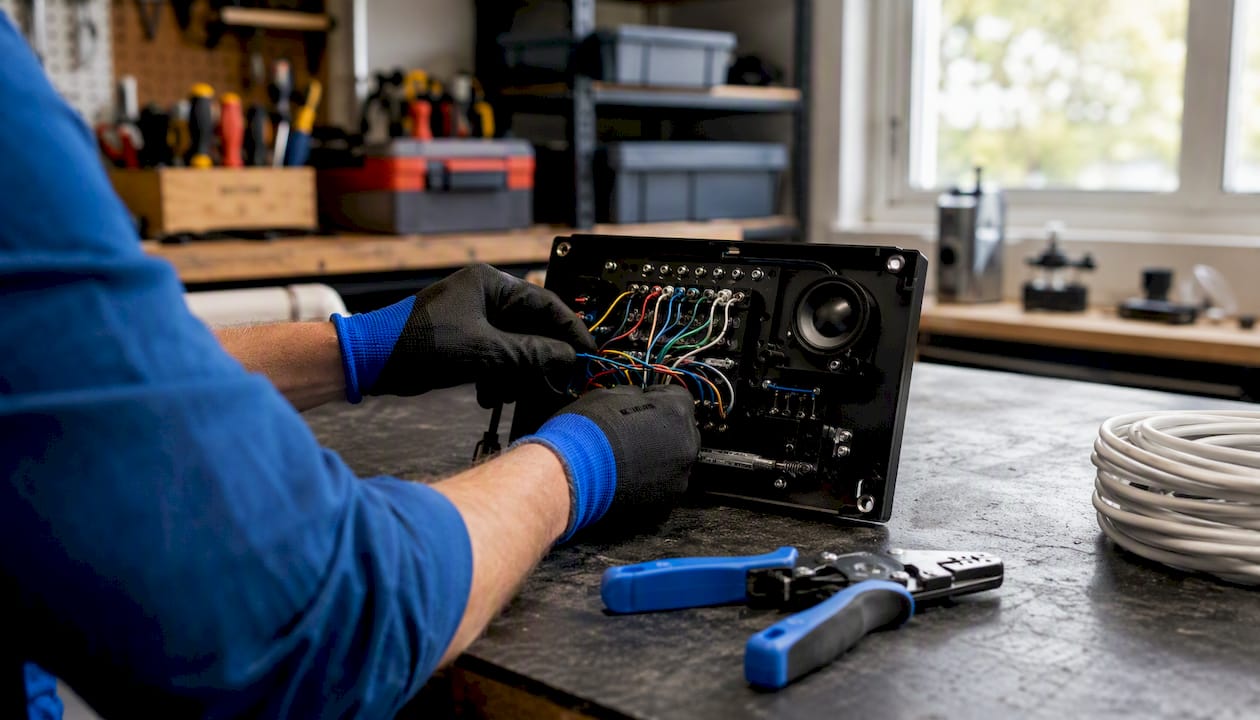
Audio-only systems carry two-way voice between the door station and the answering station — nothing more. They are the least expensive option and the simplest to install, which still makes them the right call for secondary entrances, utility doors, loading docks, and budget-constrained retrofits.
Pros: Low cost, minimal wiring, no network dependency, long service life.
Cons: No visual verification, no recording, limited integration potential.
Best for: Secondary building entrances, warehouses, interiors where visual ID is not required.
Video intercoms
Video adds security benefits but increases network, storage, and power requirements compared with audio-only systems. A camera at the door station lets the answering party visually confirm a visitor’s identity before releasing the lock. Useful features include night vision (IR or low-light sensors), motion detection, and local or cloud recording.

Pros: Visual identity verification, recording for incident review, deterrence effect.
Cons: Higher hardware cost, storage and bandwidth requirements, camera maintenance.
Best for: Main lobby entrances, single-family front doors, any entry where identity verification matters.
Telephone and paging systems
These route intercom calls through a standard phone line, PBX, or VoIP phone system. A visitor presses a button, and the call rings a landline, a desk phone extension, or a ring group. They are common in legacy commercial buildings with existing PBX infrastructure and in remote answering centers where a receptionist handles multiple properties.
Pros: Works with existing phone infrastructure, no separate app required, familiar UX for staff.
Cons: Dependent on phone system uptime, limited video options, harder to scale across many tenants.
Best for: Office buildings with a front desk, legacy multifamily with existing phone wiring, remote property management scenarios.
Integrated access-control systems
Integrated systems combine the intercom with a full access-control platform: tenant directories, PIN codes, QR codes, mobile credentials, visitor management logs, and sometimes video analytics. Commercial and large multifamily buildings often need cloud-managed IP video systems with IK10/IP65-rated hardware to handle the traffic and environmental exposure these sites generate.
Pros: Centralized management, audit trails, temporary credential issuance, scalable to many entry points.
Cons: Highest upfront cost, requires network infrastructure, more complex commissioning.
Best for: Large multifamily buildings, corporate offices, mixed-use properties, any site with multiple entry points and compliance requirements.
How do wired, wireless, and IP intercoms compare?
Wired analog systems
Wired analog systems use dedicated two-wire or four-wire cabling from the entry panel to indoor units and remain common in older multifamily and commercial properties. They require less ongoing network management and can be cost-effective for retrofits where cabling already exists. Reliability is their strongest argument: no Wi-Fi dead zones, no internet dependency, no firmware update that breaks a cloud API.
IP/networked systems (PoE, SIP/VoIP, cloud-managed)
IP intercoms run over a building’s network and support SIP/VoIP, mobile apps, and centralized management. They enable routing calls to desk phones, mobile apps, or phone systems, and they integrate with video management software (VMS) and access-control platforms. Professional-grade commercial systems require dedicated PoE infrastructure rather than consumer Wi-Fi to avoid dead zones and latency. Network segmentation (a dedicated VLAN for intercom hardware) is a standard security practice.
Wireless systems
Wireless systems reduce cable runs and are popular for retrofits, but consumer Wi-Fi can suffer dead zones and latency compared to PoE networks. Battery life is a real constraint on door stations: a high-traffic entry drains batteries faster than most product specs suggest. LTE/cellular intercoms solve the coverage problem but add monthly data costs and introduce their own latency on video calls.
Pro Tip: “DIY-friendly” wireless systems marketed to small offices may still need managed Wi-Fi access points or PoE-backed APs in high-traffic buildings. Confirm the network requirements before you commit to a wireless solution for any shared-entry door.
Security and failover
Encryption (TLS/SRTP for SIP, HTTPS for cloud APIs) and network segmentation are non-negotiable for IP systems in commercial or multifamily settings. Cloud-based IP systems should be evaluated for cellular backup or a local off-network mode to maintain access during internet outages. Ask every vendor whether local mode requires additional hardware or a separate license.
| System type | Best for | Connectivity | Key features | Install complexity | Durability rating | Typical price band |
|---|---|---|---|---|---|---|
| Wired analog | Multifamily, commercial retrofit | 2/4-wire | Audio/video, basic release | Low–medium (existing wire) | Varies by hardware | $ |
| IP/PoE (SIP/VoIP) | Commercial, large multifamily | Ethernet/PoE | Mobile app, VMS/ACS integration, recording | Medium–high (network drops) | IK08–IK10, IP54–IP65 | $$–$$$ |
| Cloud-managed IP | Multifamily, corporate | Ethernet + cloud | Tenant directory, remote mgmt, analytics | Medium–high | IK10, IP65 | $$$–$$$$ |
| Wi-Fi wireless | Single-family, small office | Wi-Fi | App-based, easy setup | Low | — | $–$$ |
| LTE/cellular | Remote gates, rural sites | Cellular | No network dependency, remote release | Low–medium | IP54–IP65 | $$–$$$ |
What features and specs should you compare when choosing an intercom?
Features are easy to oversell. The specs that actually determine whether a system survives its environment and keeps working during a power or network event are the ones most buyers skip.
Feature checklist:
- Two-way audio clarity (full-duplex vs. half-duplex)
- Video resolution and field of view (1080p minimum for identity verification)
- Night vision (IR range or low-light sensor sensitivity)
- Motion detection and pre-call recording
- Local vs. cloud recording (and storage duration)
- Mobile app with remote door release
- Temporary credential issuance (PIN, QR code, time-limited access)
- Tenant directory with search and call routing
- SIP compatibility for PBX/phone system integration
Technical specs to verify before purchasing:
- IK rating: IK08 minimum for exterior commercial doors; IK10 for high-traffic or vandal-prone entries
- IP rating: IP54 for sheltered exteriors; IP65 for exposed or washdown environments
- UL listings: Check UL 294 (access control) and UL 2050 (monitoring) where applicable
- PoE class: 802.3af (15.4W) covers most door stations; heated or high-resolution cameras may need 802.3at (30W)
- Strike/maglock voltage: Confirm 12V or 24V DC compatibility with your release hardware
- SIP version and codec support: G.711 is universal; G.722 improves audio quality on IP systems
- Storage: On-device SD card, NAS, or cloud — and whether cloud storage is included or billed separately
Matching system robustness and ratings to expected traffic and environmental exposure is more important than chasing the longest feature list. An IK10/IP65-rated door station on a PoE drop will outlast and outperform a consumer-grade Wi-Fi camera in a lobby by years.
Pro Tip: Prioritize IK/IP ratings and failover behavior before convenience features. A system that looks great in a demo but lacks local-mode fallback will lock tenants out the next time your ISP has an outage.
What does installation actually cost and how long does it take?
Timelines and costs vary widely by building type, existing infrastructure, and whether you are doing a new install or a retrofit. The typical installation timelines and costs in the U.S. vary widely by scenario, including audio-only residential, video intercom for single-family homes, small multifamily retrofits, and full IP cloud-managed multifamily or commercial installations. A written site survey is recommended before treating any estimate as a budget.
Standard installation steps, in order:
- Site survey: Confirm existing wiring gauge and run length, network port availability at the door, PoE switch capacity, and strike/maglock voltage.
- Power and network planning: Identify PoE drop locations, confirm switch port count, and plan VLAN segmentation for IP systems.
- Door-hardware integration: Verify electric strike or maglock compatibility, fail-safe vs. fail-secure behavior, and fire-door release requirements.
- Mounting and weatherproofing: Install door station flush or surface-mount per manufacturer spec; seal conduit penetrations to maintain door assembly ratings.
- Testing and commissioning: Test remote release, audio/video quality, failover behavior, and mobile app connectivity before tenant handover.
- Tenant onboarding: Configure directory, issue credentials, and document the system for building management.
Retrofitting older buildings with IP intercoms can often reuse existing low-voltage cabling via adapters, reducing cost versus full rewiring. Confirm the wire gauge and run length with a multimeter before assuming reuse is viable.
Before requesting a quote, confirm these items:
- Existing wiring type and condition (2-wire, 4-wire, Cat5e/6)
- Network port and PoE availability at each door station location
- Strike or maglock voltage and fail-safe/fail-secure requirement
- Expected daily foot traffic per entry point
- Any fire-door or UL-listing constraints on the door assembly
How do you choose the right intercom type for your building?
Work through these decision points in order before you talk to a vendor:
- Entry point count: One door is a different problem than twenty. Scale determines whether a standalone unit or a centrally managed platform makes sense.
- Expected traffic: A building with 200 daily visitors needs IK10 hardware and a managed network. A single-family home does not.
- Existing wiring: Cat5e or better at the door? Go IP/PoE. Only 2-wire or 4-wire? Consider analog or a retrofit adapter kit.
- Required integrations: Does the system need to talk to a VMS, a PBX, or an existing access-control platform? Confirm SIP and API compatibility before signing anything.
- Power options: PoE is preferred for commercial installs. Battery is acceptable for single-family. Avoid battery-powered systems on high-traffic shared entries.
- Budget ceiling: Set a total installed cost budget, not just a hardware budget. Labor, network drops, and licensing often exceed the hardware cost on IP systems.
Questions to ask every vendor:
- What happens to door access if the internet goes down? Is local mode standard or an add-on?
- What is the warranty period and SLA for hardware replacement?
- How is video and access-log data encrypted, and where is it stored?
- Is the system compatible with our existing electric strikes and fire-door hardware?
- Can you provide references from similar buildings (size, age, building type)?
Red flags to watch for:
- Vague or evasive answers about failover behavior
- No site survey offered before quoting
- Missing IK, IP, or UL spec references in product documentation
- Pushing a cloud-only solution with no local-mode fallback
- A quote that does not itemize network infrastructure or door-hardware integration
Trust signals that indicate a competent installer: a written wiring and integration plan, explicit IK/IP/UL spec references, a pre-bid site survey, and references from buildings comparable to yours.
Pro Tip: Ask for the failover behavior in writing. “The system supports local mode” is not the same as “local mode is enabled by default with no additional license.” Get the exact answer documented before you sign.
Integration with fire-rated doors: what installers need to know
Intercoms and fire-rated doors interact at the hardware level, and getting that interface wrong can void a UL listing or create a life-safety liability. This is where coordination between the intercom installer and the door hardware contractor matters most.
Compatibility and sequencing:
- Electric strikes must match the door frame’s voltage and fail-safe/fail-secure specification. A fail-safe strike (power to lock, de-energize to release) is standard on fire doors where egress must be maintained during a power failure.
- Maglocks on fire doors require a fire-alarm interface that releases the lock on alarm activation — confirm this relay is wired and tested.
- Any cutout in a fire-rated door assembly for a door station, conduit, or cable penetration must be made per the door manufacturer’s instructions to preserve the UL listing. Sequencing intercom wiring and door hardware installation is critical: install and test the strike/release hardware first, verify the UL assembly is intact, then run intercom cabling through rated conduit or sleeves.
For UL-approved door installation steps and coordination guidance on commercial assemblies, Ufiredoors publishes detailed contractor resources drawn from over 20 years of fire-rated door manufacturing and installation in New York City and the Northeast.
Maintenance checklist for combined door and intercom systems:
- Test remote door release monthly and log results
- Clean camera lens and door station speaker grille quarterly
- Apply firmware updates on a scheduled cycle (not ad hoc)
- Verify battery backup and cellular failover functionality every six months
- Inspect conduit seals and weatherproofing annually
- Confirm fire-alarm interlock on maglocks at each annual fire-door inspection
Ufiredoors specializes in front entrance installation and replacement for commercial and multifamily buildings, using UL-approved materials and local fabrication for fast lead times. When an intercom upgrade coincides with a door replacement, coordinating both scopes under one contractor eliminates the most common source of UL-listing disputes.
Key Takeaways
The single most important decision in selecting a door intercom is matching system type and ratings to your building’s traffic, environment, and network infrastructure — not chasing the longest feature list.
| Point | Details |
|---|---|
| Function vs. technology | Choose by function first (audio, video, integrated), then by connectivity (wired, IP/PoE, wireless). |
| IK/IP ratings matter | Use IK10/IP65-rated hardware for high-traffic or exposed exterior entries; IP44 is insufficient for shared lobbies. |
| Failover is non-negotiable | Cloud-only systems need cellular backup or a local off-network mode; confirm this in writing before signing. |
| PoE for commercial installs | PoE-backed Ethernet outperforms consumer Wi-Fi for reliability and security on shared-entry doors. |
| Site survey before quote | Confirm existing wiring, network port availability, strike voltage, and fire-door constraints before any vendor quotes a price. |
The spec sheet won’t tell you what the site will
Most intercom problems I see in the field don’t come from bad products. They come from a mismatch between what the spec sheet promises and what the building actually has: a 2-wire run that’s too long for the adapter kit, a PoE switch with no spare ports, or a cloud-only system installed in a building with unreliable internet.
The fastest way to prevent networking issues on IP intercoms is to run a dedicated VLAN for intercom traffic before the hardware arrives on site. It takes an hour and eliminates the most common commissioning headaches. On the door-hardware side, test the remote release and local unlock behavior before tenants move in — not after. A door that won’t release remotely at 2 AM is a property management emergency, not a warranty claim.
The fire-door coordination point is the one most intercom installers underestimate. Any penetration through a rated assembly needs to be documented and sealed per the door manufacturer’s spec. If you’re replacing the door and adding an intercom in the same project, sequence the door installation first, verify the UL assembly, then run intercom cabling. Doing it in reverse order almost always means rework.
Useful sources and standards to check when evaluating intercoms
These references are worth bookmarking when you’re writing a scope of work or verifying vendor claims:
- Aiphone Intercom Systems Guide: A manufacturer-neutral explainer covering intercom definitions, functional types, and FAQ — useful for confirming terminology and understanding door station vs. answering station distinctions.
- Avigilon Intercom Security Systems Guide: Breaks down types by function, technology, and connectivity, with a buyer’s guide section — useful for cross-referencing feature lists against your requirements.
- Intercomonline Gate Intercom Guide: Focused on gate and perimeter intercom types — relevant for commercial sites, parking structures, and industrial entries.
- IEEE 802.3 PoE Standard: The primary reference for PoE power classes (802.3af and 802.3at) — use this to verify that your switch and door station hardware are compatible before purchasing.
- SafeZone Intercom Types Overview: A practical overview of wireless vs. wired trade-offs and use-case guidance for audio vs. video systems.
- Ufiredoors Blog: Covers door durability, IK/IP rating context, and installation coordination for commercial assemblies — useful when specifying mounting and weatherproofing requirements for door stations on fire-rated doors.
When evaluating vendors, ask them to reference IK, IP, and UL specifications by number in their proposal. A vendor who can’t cite the IK rating of their door station hardware is a vendor who hasn’t installed it in a demanding environment.